
5X team plan
Subscribe to Armoury 5X and run your complete testing workflow.
Bring test cases, execution records, reports, and team collaboration into one workspace for 50 users. After subscription, Armoury Intelligent configures the organization and plan automatically so the team can get to work.
Subscription flow
Start in the workspace and complete your Armoury subscription.
Choose your company organization and plan, enter the invoice details, and pay. The system configures the subscription automatically and sends the electronic invoice to the owner email.
-
01 · Start subscription
Register and open subscription management
Register for Armoury Intelligent with an email address, then open Organization & Subscription Management from the Workspace page. This account will become the organization owner.
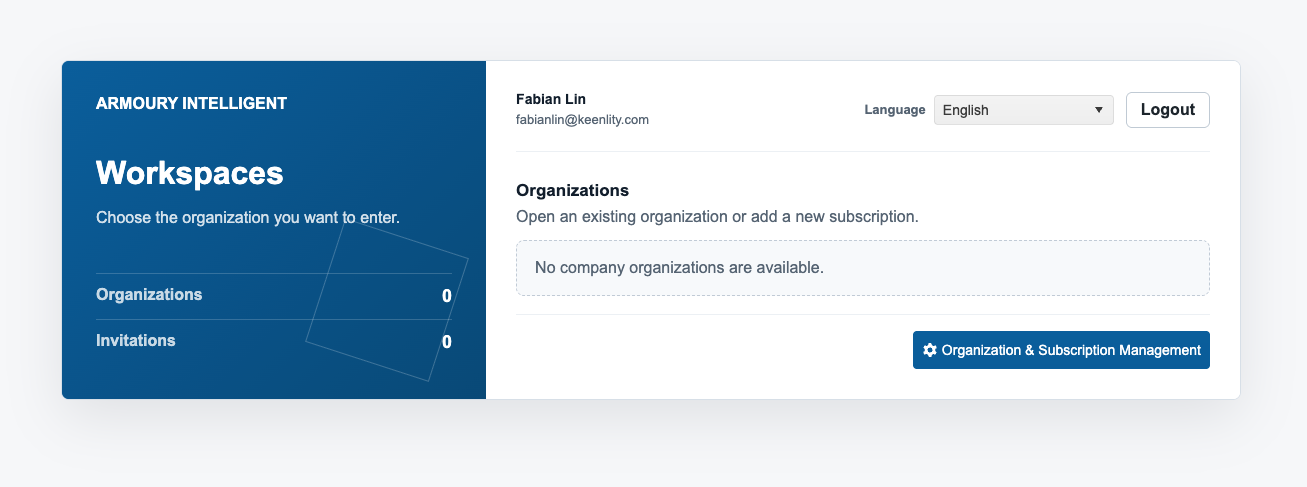
Open Organization & Subscription Management from the workspace -
02 · Subscription details
Choose an organization and plan, then enter invoice details
Select an existing company organization or create a new one. After choosing a trial or full plan, enter the invoice details.
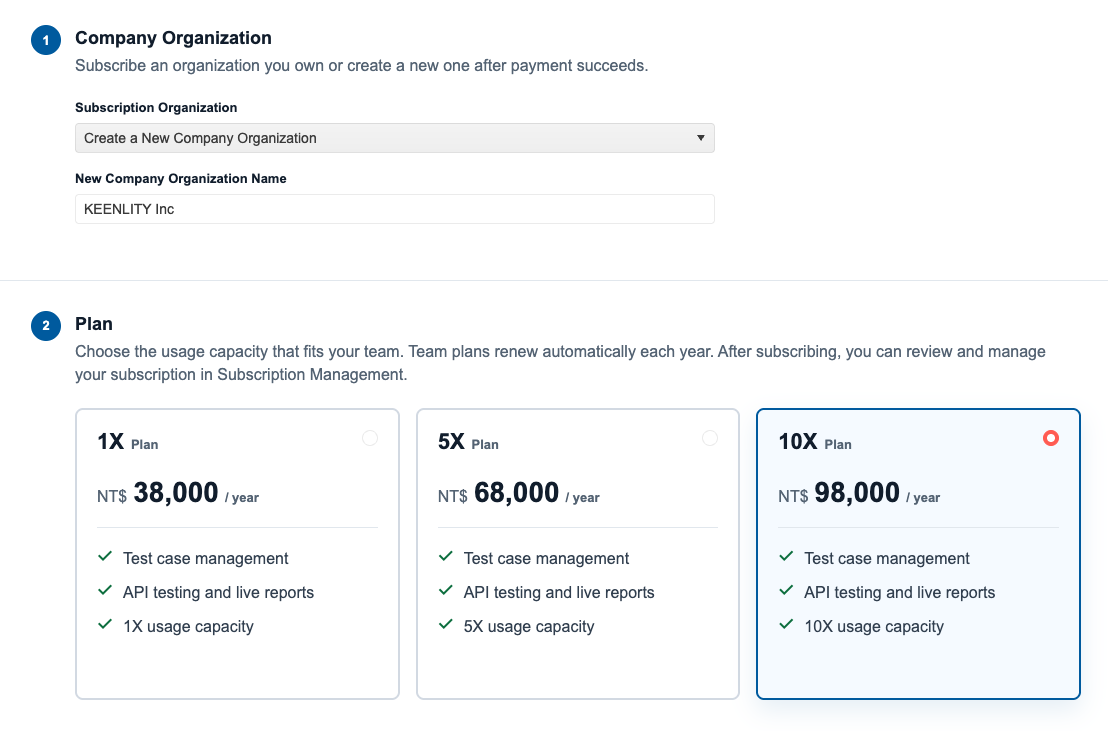
Choose the company organization and plan, then enter invoice details -
03 · Online payment
Review the order and complete payment
After reviewing the organization, plan, and invoice details, the system redirects you to NewebPay in Taiwan. Enter the card details and complete the bank verification and payment.
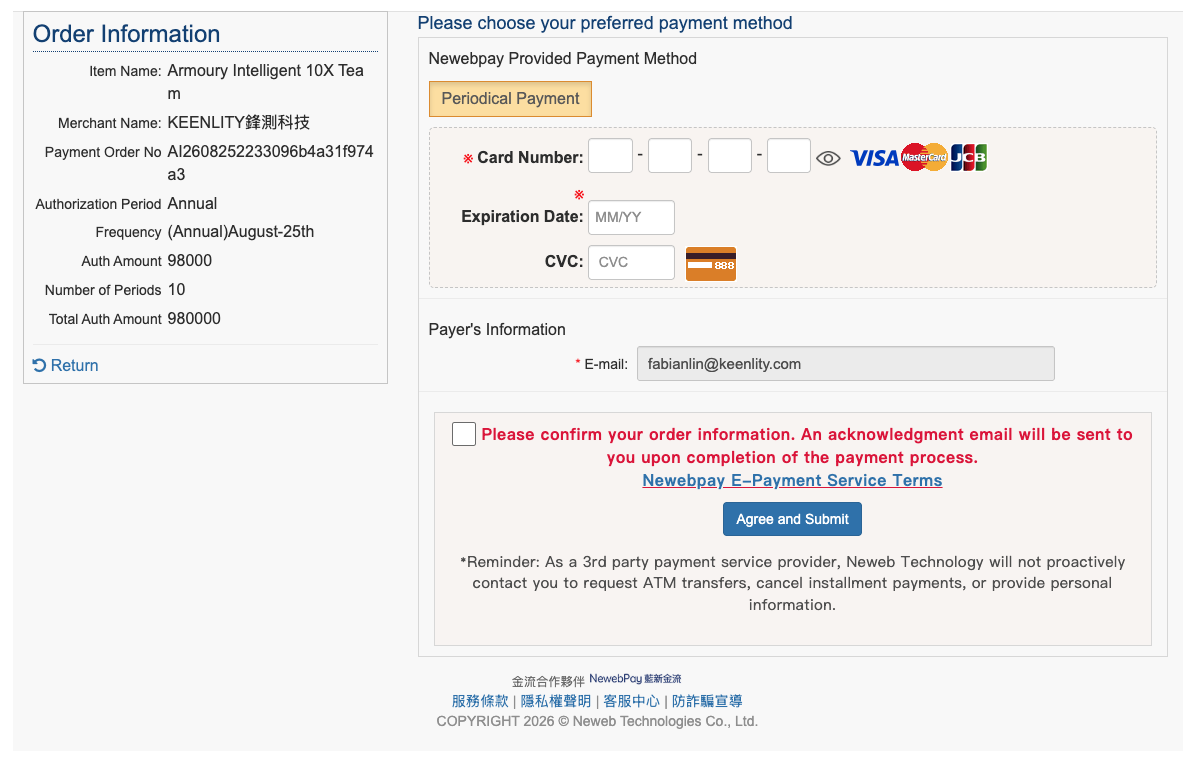
Complete the credit card payment through NewebPay -
04 · Subscription activation
Review the order, subscription, and invoice status
After payment, you return to the order page. Once payment is confirmed, the system automatically creates or updates the company organization and applies the selected subscription. The Taiwan Uniform Invoice is issued automatically and sent to the organization owner email. To use enterprise SSO, contact KEENLITY after completing the paid subscription; KEENLITY will enable it in KEENLITY ID. If you need any assistance, KEENLITY Support will respond promptly.
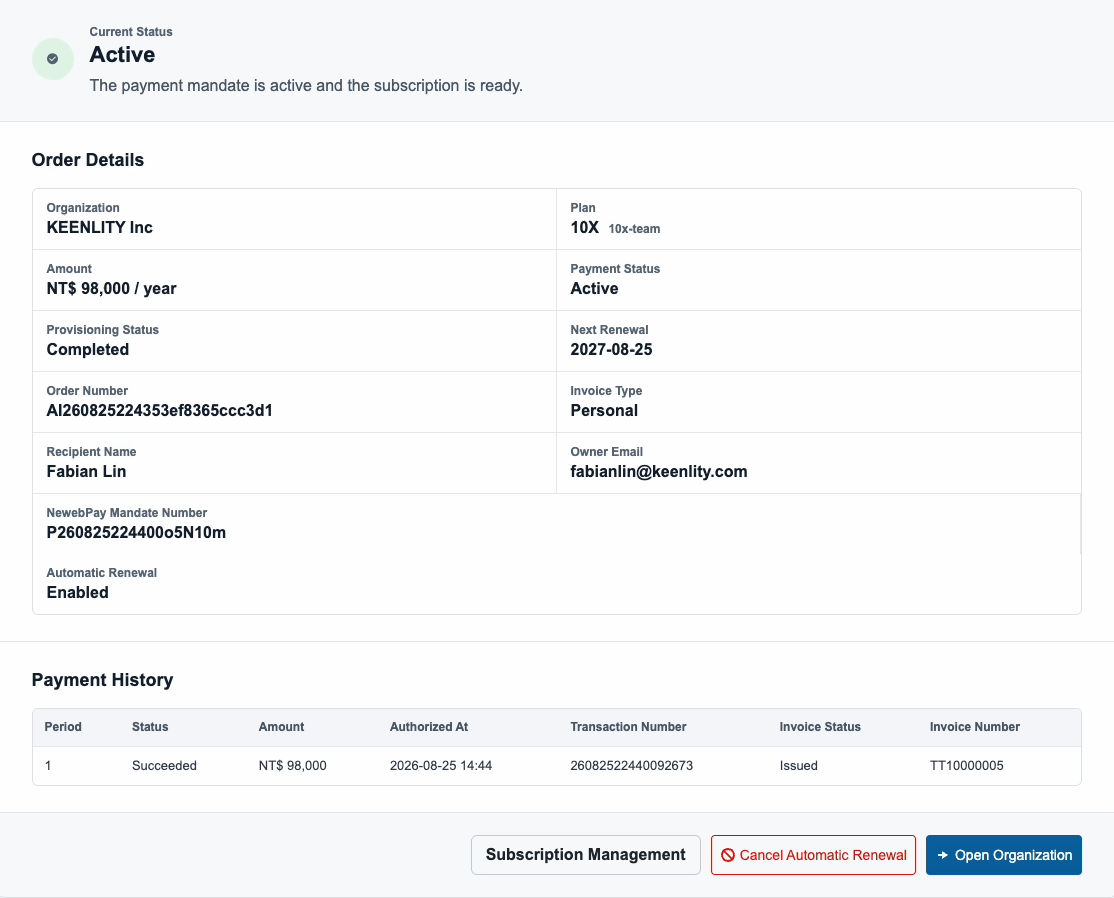
Review the order, subscription, and invoice status
Get started
Subscribe in Armoury Intelligent for a complete testing workflow.
Choose the right plan for your team and bring test cases, execution, reports, and collaboration into one workspace.
Other payment methods
Need a payment method other than a credit card?
If you need another corporate purchasing arrangement, contact KEENLITY Support before submitting the order. We will confirm the available payment method for the order and location.
Transaction security
Payments are processed through NewebPay in Taiwan.
NewebPay's security technology uses SSL 256-bit encryption, PCI-DSS 4.0.1 payment-card industry data security certification, and ISO 27001:2022 information security management certification.
View NewebPay security certifications